Juggling 50 buyer upgrades across 200 lots can turn one missed spreadsheet into weeks of delays, angry clients, and five-figure rework.
We’ve all felt that crunch. As selections pile up, each house morphs into a one-off prototype. “Once you figure in all the options, you need a drawn plan for each house,” notes veteran builder consultant Betsy Moore.
It’s why forward-thinking builders now lean on software to update plans, budgets, and takeoffs the instant a buyer signs. Even Simpson Strong-Tie’s Software Solutions for the Production Builder targets this exact pain—proof that the need is mainstream.
This guide compares eight proven platforms, showing which ones sync with BIM, handle enterprise accounting, or boost option sales through an online studio, so you can pick the right lane with confidence.
Why automating option management matters
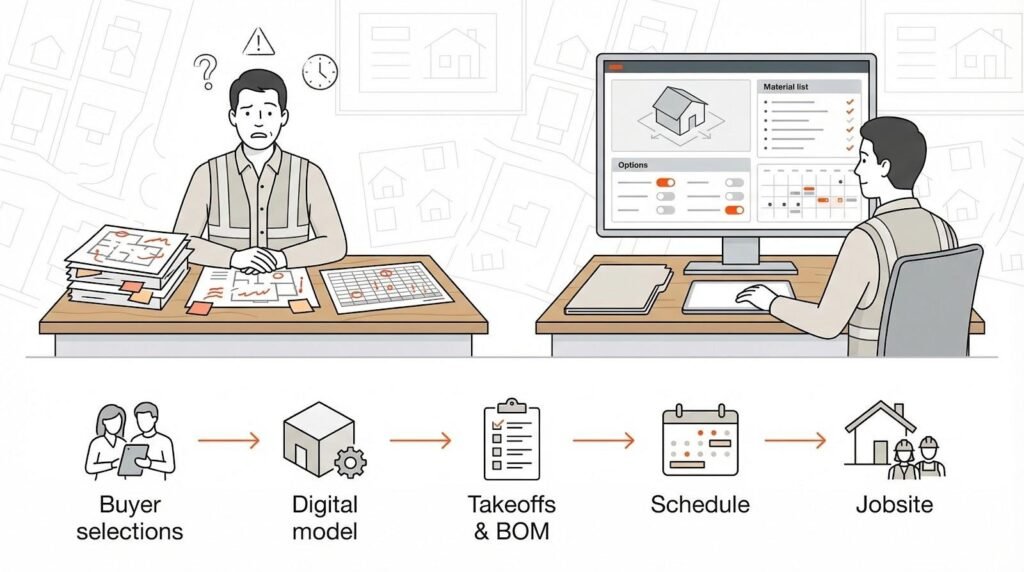
Options sell homes—but they can also create chaos.
Every structural tweak or finish upgrade ripples into fresh drawings, budgets, and purchase orders. Manually chasing those ripples steals hours from estimators, drafters, and site supers. Worse, a single missed option sparks costly field fixes and erodes buyer trust.
Automation flips that script.
When software records a buyer’s choice the moment it’s signed, the system instantly updates the plan set, the material takeoff, and the schedule. You stop redlining PDFs and start releasing clean, lot-specific packages the same day.
Speed is only half the story. Accuracy climbs because the rules live inside the model, not someone’s memory. If a gourmet kitchen clashes with the starter appliance bundle, the platform flags it before the contract ever reaches purchasing.
That precision protects margins. Each correct BOM tightens material orders, reducing waste and overages. Every frictionless change keeps crews on schedule, trimming cycle time and holding down carrying costs.
Most important, buyers notice. They see their exact home in 3D, sign confident estimates, and move in on the promised date. That’s the edge we’re after.
In short, automate the options and the rest of the build starts to take care of itself.
How we picked the eight stand-out platforms
You deserve more than a random list from a quick Google search. We started with 40+ construction apps and asked one question: Will this tool make life easier for a production builder drowning in options?
From there, we applied six hard filters.
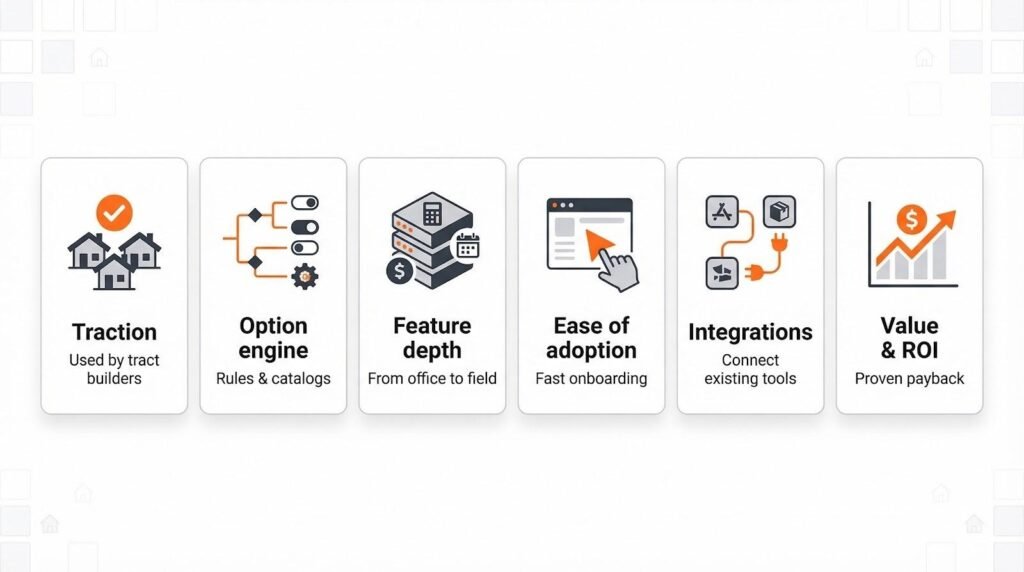
First, every platform had to show real traction with tract builders. Marketing claims were not enough; we looked for case studies, user conferences, or active forum chatter that proved production workflows in the wild.
Second, the software needed a purpose-built mechanism for handling options or selections. A generic change-order button did not qualify. We wanted rule sets, option catalogs, or automated plan generation baked in.
Third came feature depth. Estimating, scheduling, accounting, and supplier links all matter once those options hit the field, so we scored each product on scope as well as specialty.
Fourth, we weighed ease of adoption. Clean interfaces and guided onboarding matter, because no one has time for a six-month slog.
Fifth, integration counted. The best systems connect with Revit, QuickBooks, or supplier portals so data flows without double entry.
Finally, we sanity-checked value. Transparent pricing or documented ROI kept high-fee vaporware off the page.
Only eight platforms cleared every bar. We grouped them into three solution types: ERP suites, all-in-one project managers, and design/BIM engines, so you can jump straight to the stack that fits your world.
A quick comparison table sits just below this paragraph. If you prefer details, stick around; we’ll unpack each segment one by one.
Key features to check before you book a demo
Software shopping gets noisy fast. Slick videos blur together and every vendor claims to be “all-in-one.” Keep this quick checklist nearby so you can cut through the pitch and focus on what matters to a production builder.
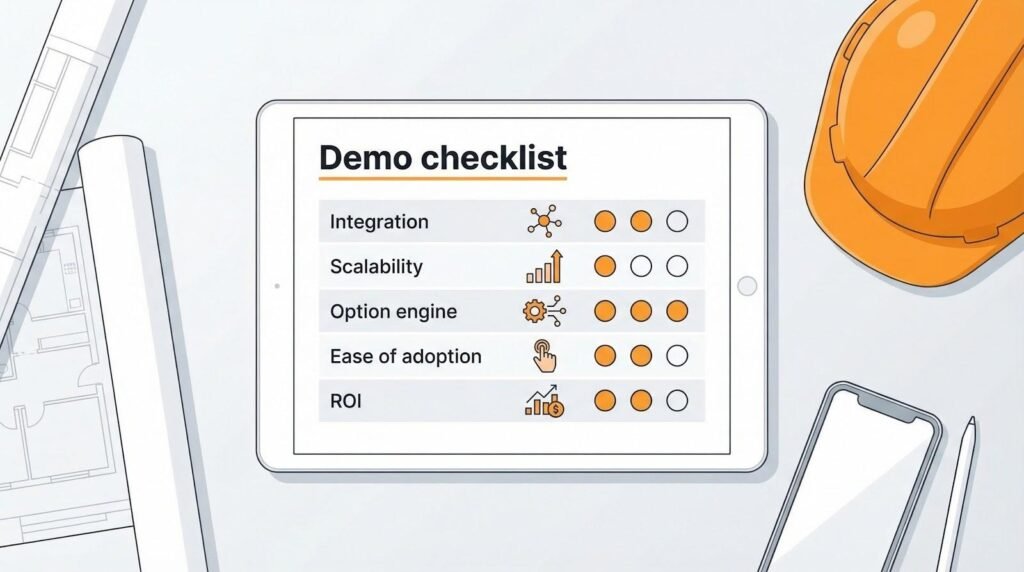
Start with integration. Your plans live in Revit, your accountant trusts QuickBooks, and your framers pull updates from their phones. A winner links to those anchors without export-import gymnastics. Ask the salesperson to show a live sync—ideally a Revit model that updates in under 10 seconds.
Scalability comes next. The platform has to hum whether you close 50 homes this year or 500 next. Look for proof it runs multi-division builders without slowing down. User conferences and case studies often reveal the truth.
Then probe the option engine itself. Can the system block an invalid kitchen-plus-bonus-room combo? Does it redraw the plan and refresh the BOM automatically? If not, you’re still babysitting spreadsheets.
Ease of adoption is the silent deal-breaker. A clear interface cuts training time and boosts field use. Ask to log in and click around during the demo; you’ll know within 30 seconds if the crew will buy in.
Finally, weigh cost against provable ROI. Transparent subscription tiers beat mystery quotes, but a higher sticker can still pay off if it trims weeks from cycle time or removes rework. Request customer numbers, not marketing math.
Keep this short list handy and you’ll walk into any demo ready to separate real builders’ tools from shiny distractions.
1. Simpson Strong-Tie: LotSpec and Pipeline Suite
Marketed as part of Simpson Strong-Tie’s software solutions for the production builder, which promise to “turn plans into profitable communities,” LotSpec plugs into Autodesk Revit or AutoCAD and works like an air-traffic controller for every elevation, bump-out, and bonus room in your catalog. You load one master model, layer in all valid options, and let the rules engine assemble lot-specific plans in minutes. The payoff is an accurate construction set without the copy-paste grind.
Pipeline takes over from there. The cloud service reads those refreshed models and produces real-time takeoffs, budgets, and purchase orders. Estimating and design finally share the same clock, so a late buyer change updates material counts before the lumber order leaves the yard.
Why it matters: speed and certainty. Gehan Homes, a top-50 builder, cut plan-package turnaround from 2 days to 20 minutes after adopting LotSpec, freeing drafters for higher-value work. Field teams report fewer plan conflicts because every trade works from the same option-aware set.
Fit factor: mid- to large-volume builders already drafting in Revit or AutoCAD. If your designers live in BIM and your purchasing team wants cleaner data, this combo closes the gap without forcing a rip-and-replace of your current ERP.
Trade-offs exist. You still need a project-management platform for daily logs and homeowner portals, and your BIM staff must invest time to encode the initial rules. Yet once the library is built, the efficiency dividend pays out every time a sales contract lands.
Bottom line: LotSpec and Pipeline turn option chaos into a repeatable assembly line, making them a smart pick for builders who view BIM as more than digital drafting.
2. Buildertrend
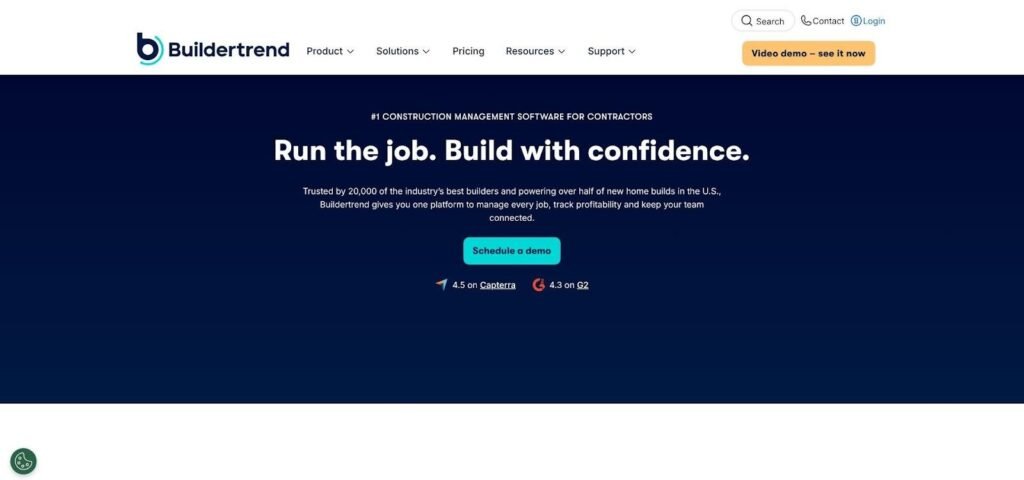
Buildertrend construction project management dashboard screenshot
Buildertrend wins by keeping the whole job in one cloud dashboard. Open a project and you’ll see schedules, budgets, daily logs, and client messages lined up like tabs in a binder. Field crews snap progress photos from the mobile app, accountants pull live cost data, and buyers approve upgrades in their own portal—all without digging through attachments.
Option control lives in the Selections module. Load every countertop, fixture, or minor structural tweak, set firm deadlines, and let the homeowner choose. The moment they tap “approve,” budgets and change orders update automatically, so finance stays locked on cost exposure.
Usability is the hook. Superintendents pick up the basics in under a day, and customers like seeing real-time progress from the sofa. That ease has limits: Buildertrend won’t redraw a plan if someone swaps a standard wall for a sunroom, and deep accounting still flows through QuickBooks.
For small to mid-sized builders who want fast onboarding and polished client communication, Buildertrend turns project confusion into a tidy mobile checklist, no IT team required.
3. Hyphen Solutions: BuildPro, SupplyPro and BRIX
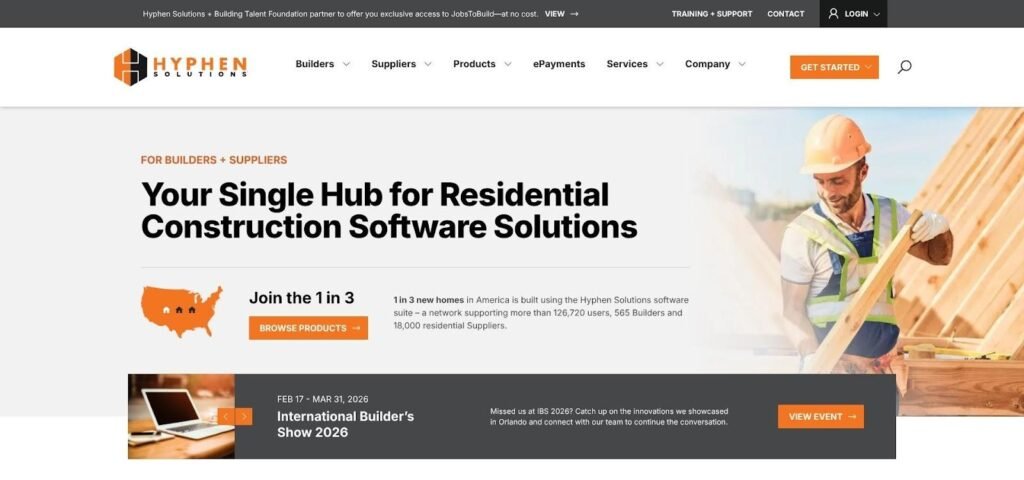
Hyphen Solutions BuildPro, SupplyPro and BRIX platform overview screenshot
Picture your schedule, purchase orders, and trade communication all feeding from the same calendar. That promise drives Hyphen Solutions. BuildPro issues day-by-day tasks, SupplyPro delivers them straight to every subcontractor’s phone, and BRIX locks the costs into your ERP ledger.
When a sales agent finalizes options in BRIX, the system writes those choices into the job budget and pushes ripple tasks (for example, extra HVAC runs for a bonus room) onto the BuildPro schedule. The HVAC contractor sees the change instantly in SupplyPro and knows to order the larger air handler before framing wraps.
Hyphen shines at scale because it grew up with national builders. Its cloud network moves millions of POs each month, so latency stays low even when you juggle hundreds of active lots across multiple divisions. The payoff is cycle-time discipline: superintendents stop chasing phone confirmations and start trusting the live schedule.
Trade connectivity is the star feature, but implementation is serious work. Expect data workshops, phased rollouts, and dedicated Hyphen trainers. The reward is a single operational backbone from sales contract through warranty, something spreadsheets and point apps rarely achieve.
Choose Hyphen when supplier coordination keeps you up at night and enterprise control beats do-it-yourself flexibility. It’s the digital nervous system for builders who treat every day saved as money earned.
4. Constellation HomeBuilder Systems: NEWSTAR Enterprise ecosystem
Constellation’s NEWSTAR ERP feels less like an app and more like a company operating system. Land budgets, sales contracts, purchasing, scheduling, accounting, and warranty all live in one SQL database. Open a lot record and you can trace every cost from raw dirt to the final service ticket without exporting a single spreadsheet.
Sales Simplicity, the built-in design-studio portal, protects option accuracy on the front end. Buyers only see combinations your estimating team has approved, so no one can pair Elevation C with a porch that won’t fit. The moment a buyer checks out, NEWSTAR writes those selections into budgets, schedules, and trade POs. One Midwest builder saved about $1,100 per home by removing option conflicts and manual rework—a reminder that clean data hits the bottom line.
NEWSTAR shines for enterprises that value financial rigor. Controllers enjoy true GAAP accounting, and executives track gross-margin drift in real time through built-in BI dashboards. The trade-off is interface polish; some screens still echo early-2000s Windows layouts, and implementation runs long because every workflow is configurable.
If you run multiple divisions, juggle land development, or report to outside investors, NEWSTAR can become the single source of truth smaller systems can’t match. Just be ready to invest in change management and training so field teams embrace the depth instead of falling back to email threads.
5. ECI MarkSystems: Integrated Homebuilding Management System (IHMS)
MarkSystems bills itself as the Goldilocks of builder ERPs—deep enough to retire your patchwork of spreadsheets yet light enough for a 150-home operation to launch without a consulting army. Every module shares one database, so a change order in sales shows up in job costing, purchasing, and the superintendent’s schedule before lunch.
Option control is a core strength. Load plan masters, elevations, and upgrade menus once, tag valid combinations, and let the system enforce them. When a buyer picks the deluxe appliance package, the standard range disappears and the budget adjusts automatically. Field errors shrink because conflicting options never reach the PO stage.
Users praise two features: support and transparency. ECI hosts weekly office hours and answers “how do I?” tickets quickly, while managers track real-time profitability by community, phase, and lot without exporting to Excel.
The interface favors function over flash, and very large builders may outgrow some reports. Yet for regional production firms juggling QuickBooks, Dropbox, and three different scheduling apps, MarkSystems delivers a single source of truth without the sticker shock of bigger ERPs.
6. Higharc: generative design and buyer experience in one browser tab

Higharc generative home design and buyer experience interface screenshot
Higharc turns the usual workflow on its head. Instead of drafting every permutation, you feed the cloud platform a set of design rules (lot setbacks, elevation styles, option menus) and it generates compliant floor plans, elevations, and 3D models on demand.
That speed is not marketing fluff. Early pilot builders trimmed design time by about 75% and lifted option revenue 25% because buyers could visualize upgrades in real time. A sales agent toggles a 4-foot garage extension, and within seconds Higharc pushes a refreshed plan, a price change, and a shareable 3D walkthrough to the client’s phone.
Because every variation flows from one parametric model, clashes disappear. If the extended garage overlaps the property line, the option greys out before it reaches a contract. Estimators pull takeoffs straight from the same source, so material counts stay in lockstep with every click.
Higharc stays focused on design; you’ll still need a project-management or ERP layer for schedules and POs. Yet for builders buried in drafting requests or chasing showroom excitement, it offers a leap rather than a step forward.
Source: InvestorFuel podcast with Tony Torian, January 2026.
7. Vertex BD: BIM power for high-volume plan generation
Vertex BD feels like a designer’s time machine. Build one master model, map every possible option (extra bath, reversed staircase, alternate truss set), and the software produces a lot-specific drawing set in under five minutes. Logan Homes once juggled 165 options across hundreds of plans with a single operator using this approach.
Because Vertex tracks every framing member, it also creates precise material lists. Pair those lists with a panel or truss plant and you have the foundation for a lean, prefab workflow. Builders focused on waste reduction or off-site construction see strong gains here.
There is one catch: Vertex is a specialist. It replaces AutoCAD or Revit inside the design department but does not handle schedules, budgets, or homeowner portals. Teams export its BOMs into an ERP or estimating tool to close the loop.
Training is another factor. The interface feels familiar to CAD pros, yet the real payoff comes from setting up option rules and libraries correctly. Invest the time upfront and you’ll unlock rapid plan turns every time sales releases a lot.
For production builders with in-house drafting, or component manufacturers serving those builders, Vertex BD delivers industrial-grade efficiency where it matters most—turning a messy option matrix into tight, buildable documents.
Conclusion
Automating option management turns customization from a liability into a lever for speed, accuracy, and higher margins. Whether you need an all-in-one ERP, a field-friendly project manager, or a design engine that redraws plans in minutes, the eight platforms above give production builders a tested path forward. Match their strengths to your biggest pain points, run a disciplined demo process, and let software shoulder the complexity so your team can focus on building homes buyers love.