AI’s genuinely changed how digital images get made, edited, and customized. Instead of starting with a blank canvas and manually building every visual element by hand, people can just describe an idea in plain language and let an AI system generate something based on that description. This whole thing’s called AI image generation, and it’s become a genuinely big part of modern digital creativity.
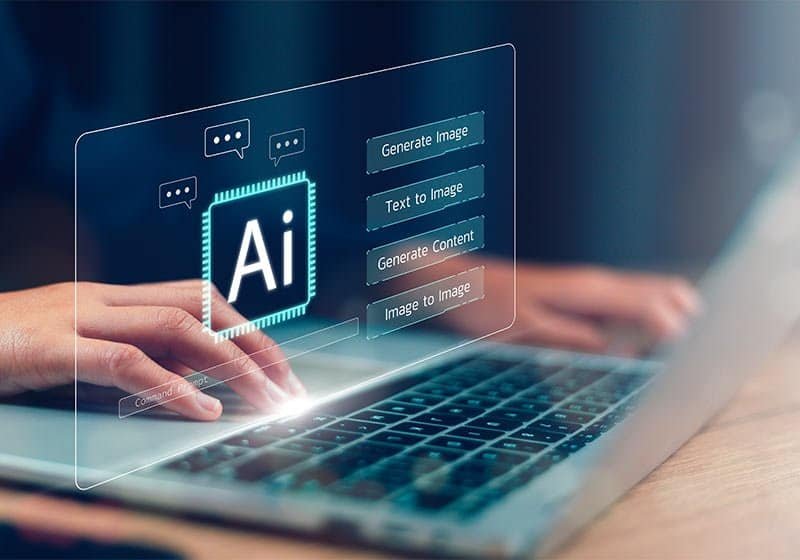
Understanding how these systems actually work helps people make smarter calls about when and how to actually use them. It can look almost instant on the surface, but there’s a lot of genuinely complex stuff happening between typing a prompt and getting a finished image back.
What Is an AI Image Generator, Really?
An AI image generator is software built to create visual content from instructions a user gives it. Usually that’s a written prompt describing subjects, environments, colors, styles, lighting, or composition — basically painting a picture with words.
Someone might describe a quiet mountain village at sunrise, snow-covered peaks, warm light spilling from the houses. The system interprets all that and produces an image trying to represent those ideas as best it can.
Most modern systems run on generative models trained on huge collections of images and their associated info. During training, these models learn how visual characteristics connect to language. They’re not searching some online database for the exact sentence someone typed, either — the trained model generates something genuinely new, based on patterns it picked up during training.
How Does This Tech Actually Work?
A big chunk of modern text-to-image systems run on something called diffusion. In simple terms, diffusion-based generation is about learning how to move from noisy visual information toward a structured, recognizable image.
During training, images get gradually messed up by adding noise, and the model learns how to recover the original visual info from increasingly noisy versions. When it’s time to actually generate something, that process runs in reverse — the system starts with random noise and keeps refining it, step by step, until a real image takes shape.
The user’s prompt plays a real role throughout this. A text encoder converts language into a numerical representation the generation system can actually use as guidance, and the model leans on that info the whole time it’s refining the output.
Worth noting, not every image generator runs on the exact same architecture, either. Some newer systems mix in transformers, flow-based techniques, or other approaches, so diffusion’s really best understood as one major family of technologies — not some universal description of how every single generator works.
Why Writing a Good Prompt Actually Matters
How specific and clear an instruction is can genuinely shape the result. A short prompt like “a city street” leaves a lot of creative room open — could go a hundred different directions. A more detailed description gives the system a lot more to actually work with.
Useful stuff to include tends to be the main subject, the location or environment, an artistic or photographic style, lighting conditions, color preferences, camera perspective, composition, general mood, and any specific visual details that actually matter to the final look. Instead of just asking for “a forest,” describing a dense pine forest at early morning, soft fog drifting between the trees, sunlight filtering through the branches, gives the system a genuinely clearer target to aim for.
That said, piling on more words doesn’t automatically mean a better result. Clear, relevant info tends to beat a long list of unrelated instructions every time.
Where AI-Generated Images Actually Get Used
AI-generated imagery shows up across a lot of different fields. Designers lean on it during early concept work, and writers and publishers use it for illustrations tied to articles, educational material, or presentations that’d otherwise need a hired illustrator.
Marketing teams experiment with visual concepts before committing to final creative assets, and educators use generated images to explain abstract ideas or build custom learning materials tailored to whatever they’re teaching that week.
For individuals, an AI image generator gives a genuine way to play around with visual concepts without needing advanced skills in traditional illustration software — no years of practice required to get something usable.
The tech also handles real editing tasks. Depending on the system, users can modify an existing image, swap out specific elements, extend a scene beyond its original frame, or generate variations based on a reference image they already have.
The Real Upsides and the Real Limits
Speed’s probably the biggest advantage here. Something that used to take real manual effort — building out an initial visual concept — can now happen in a genuinely short amount of time. It’s also opened up visual experimentation to a lot of people who don’t have professional design chops.
That said, generated images aren’t always accurate. These systems can genuinely struggle with precise object counts, complicated compositions, human anatomy, small details, and readable text — text especially tends to come out garbled. Results can vary a lot between generations too, even with pretty similar instructions each time.
Training data’s another real thing worth thinking about. Questions around copyright, attribution, consent, bias, and appropriate use of generated content are still genuinely live topics in this space. It’s worth actually understanding the terms and licensing tied to whatever system someone’s using, especially if the images are headed somewhere commercial or public-facing.
Using Generated Images Responsibly
Being responsible here means more than just producing something that looks nice. It’s worth thinking about whether an image could mislead someone, imitate a real person without their permission, or end up spreading misinformation somewhere down the line.
Generated images keep looking more and more realistic, which makes transparency genuinely important wherever a viewer might reasonably assume they’re looking at something real. Extra care matters when generating anything involving public figures, sensitive subjects, or people who’d be recognizable to viewers — this isn’t a place to cut corners.
Where AI Image Generation Is Headed
The technology is changing fast. It’s not just about increases in image quality anymore, there’s a real push for better control, more precise instruction following, more robust editing abilities and a much better handling of complex visual relationships than we’ve seen in the past.
They will be not only standalone image generating tools but they will probably also be part of bigger creative workflows. Text, images, video, audio, editing — it’s all increasingly interacting in the same digital environment rather than living in separate apps that don’t talk to each other.
At the end of the day, this tech’s best understood as a developing creative and computational tool, still very much in motion. Understanding how it actually works, what it’s genuinely good at, where it falls short, and what responsible use actually looks like helps people approach AI-generated imagery with realistic expectations — and get a lot more out of what it can already do.